
on-device · browser-local · nothing leaves your machine
Don't ship your
secrets to the prompt box.
SafeHai watches what you paste into ChatGPT, Claude, Gemini and any Chrome form — and steps in before your Aadhaar, PAN, AWS keys or bank details go out with it.
Hi, so I want you to review my details —
in this demo
detected
nothing uploaded
required
you hit send
$ cat detected_categories.log
Built to recognize what actually leaks
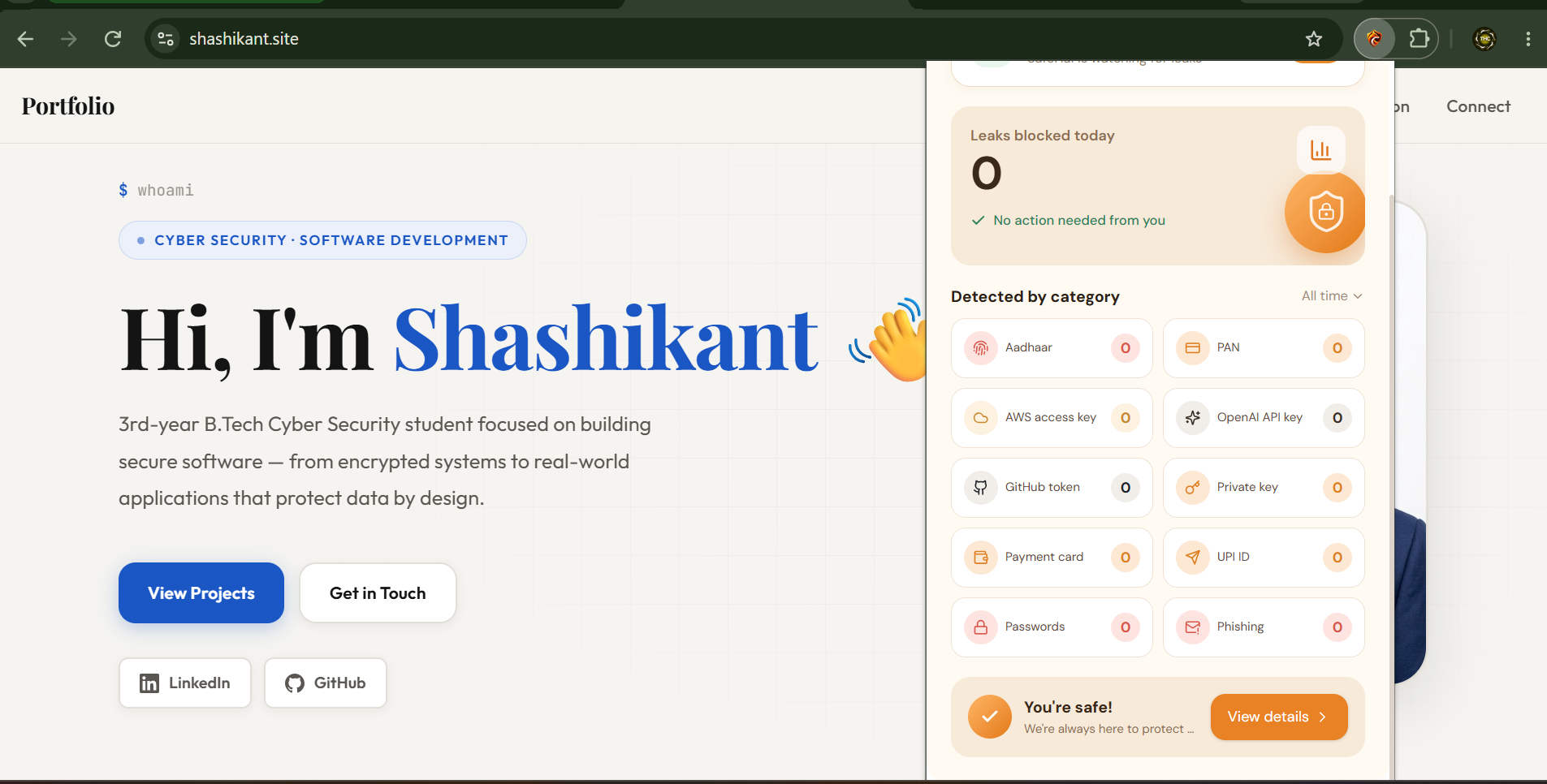
Every category below is matched by on-device pattern rules — the moment it shows up in a text box, SafeHai flags it before the page ever sees it submitted.
Aadhaar number
12-digit national ID patterns, including spaced and grouped formats.
PAN card
Indian tax ID format — letters, digits and checksum position.
AWS access key
AKIA-prefixed access keys and paired secret strings.
OpenAI / API keys
sk- style tokens for OpenAI, Anthropic and other LLM providers.
GitHub token
ghp_ and fine-grained personal access tokens.
Private key
PEM-format RSA / SSH private key blocks.
Payment card
Card numbers with valid Luhn checksums, any major issuer.
UPI ID
handle@bank style payment identifiers.
Passwords
Credential-shaped strings typed next to login-style context.
Phishing sites
Look-alike and known unsafe domains, flagged as you land on them.
$ ./how-it-works.sh
Three steps, all inside your browser
It watches quietly
Once installed, SafeHai runs as a content script on every tab — Gmail, ChatGPT, Claude, random web forms — sitting in the background, doing nothing until it sees something risky.
It flags before you send
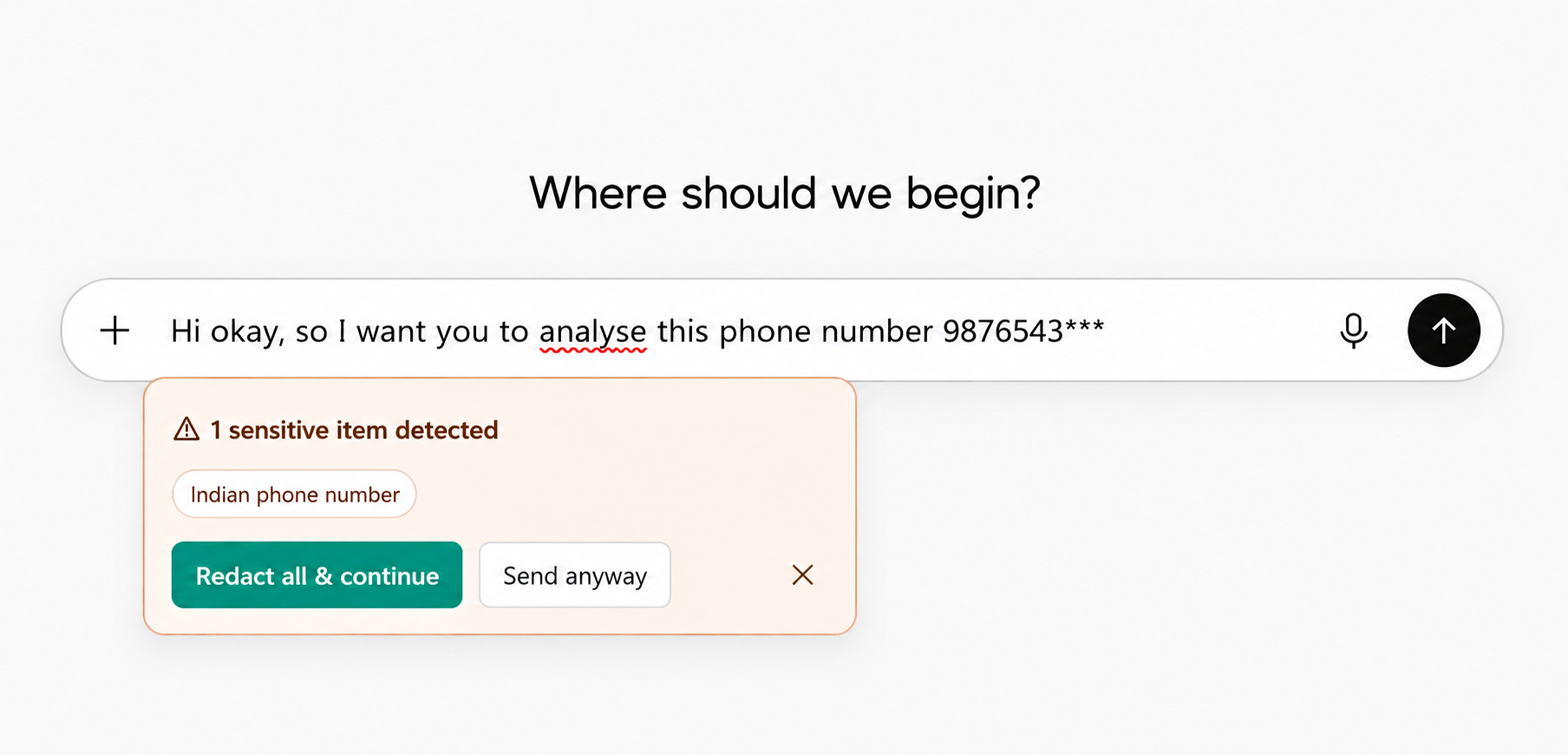
The moment sensitive text lands in an input box, a warning drops in with exactly what was found — "Indian phone number," "AWS access key" — no vague alerts, no guessing.
You choose what happens
Redact & continue masks the sensitive part and sends the rest. Send anyway lets you override when you know it's fine. Either way, the decision stays yours.
$ ls ./screenshots
See it live
Real captures of SafeHai running in Chrome — the popup dashboard, the in-page warning, and a prompt-box catch.
$ unzip & load --unpacked
Install it in under a minute
No Web Store review queue yet — you load it straight from the folder. It's the same handful of clicks every developer extension asks for.
Download safehai-extension.zip-
1
Download & unzip
Grab
safehai-extension.zipabove and extract it anywhere on your computer — remember the folder. -
2
Open Chrome extensions
Go to
chrome://extensionsin the address bar. -
3
Turn on Developer mode
Flip the Developer mode toggle in the top-right corner of the page.
-
4
Load unpacked
Click Load unpacked and select the unzipped SafeHai folder.
-
5
Pin it
Click the puzzle-piece icon in the toolbar and pin SafeHai so it's always one click away.
Next: a local LLM, running on your device
Pattern rules catch known formats today. We're adding a small on-device model so SafeHai can reason about context too — no data ever has to leave your browser to get a second opinion.
$ git log --authors